Avi Alkalay Digital Awareness and Flying Spirit
Creating OpenSearch plugins for Browsers 1 comment By AviPublished: Mon, 03 Dec 2007 18:12:48 -0200 Updated: Thu, 31 Jan 2008 19:06:38 -0200 Published: 3 Dec 2007 Updated: 31 Jan 2008 Published: 6:12 pm Updated: 7:06 pm Categories: Web 2.0 Tags:

I just came across a Mozilla::Developer page that teaches how to let visitors on a site easily add that site’s search function into their browsers as a plugin.

If you are reading this in my blog and you select your browser’s search tool, this is what you’ll see:
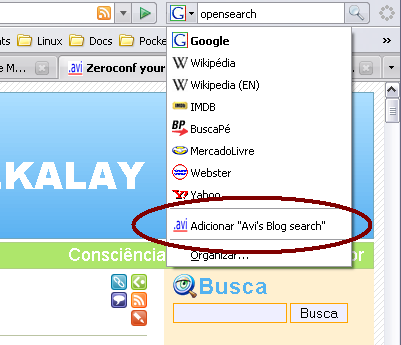
OpenSearch option in browser’s tool

You’ll get the option to permanently add my blog’s search function to your browser. If you select it, you’ll have this:
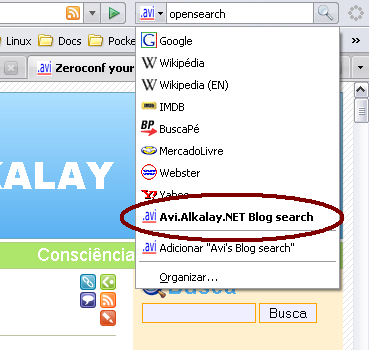
OpenSearch option added to browser’s tool

To make it, I followed the instructions on the first link and created my OpenSearch description file. Look! Technorati, Microsoft, and many others have OpenSearch-enabled websites.

Leave a Reply

XHTML: You can use these tags:<a href="" title=""> <abbr title=""> <acronym title=""> <b> <blockquote cite=""> <cite> <code> <del datetime=""> <em> <i> <q cite=""> <strike> <strong>

  One Response to “Creating OpenSearch plugins for Browsers”

#1

OOh, I know a site that needs this badly. I had no idea you could do it, though- thanks for the pointer, Avi.

Avi Alkalay is powered by WordPress 2.6.3 and delivered to you in 1.292 seconds using 25 queries.

Theme: Plasma, your last WordPress theme by Avi Alkalay.

Icons by the Blog Icons Project.