Pay attention to this screenshot. This is Mac OS running as a VMware virtual machine.
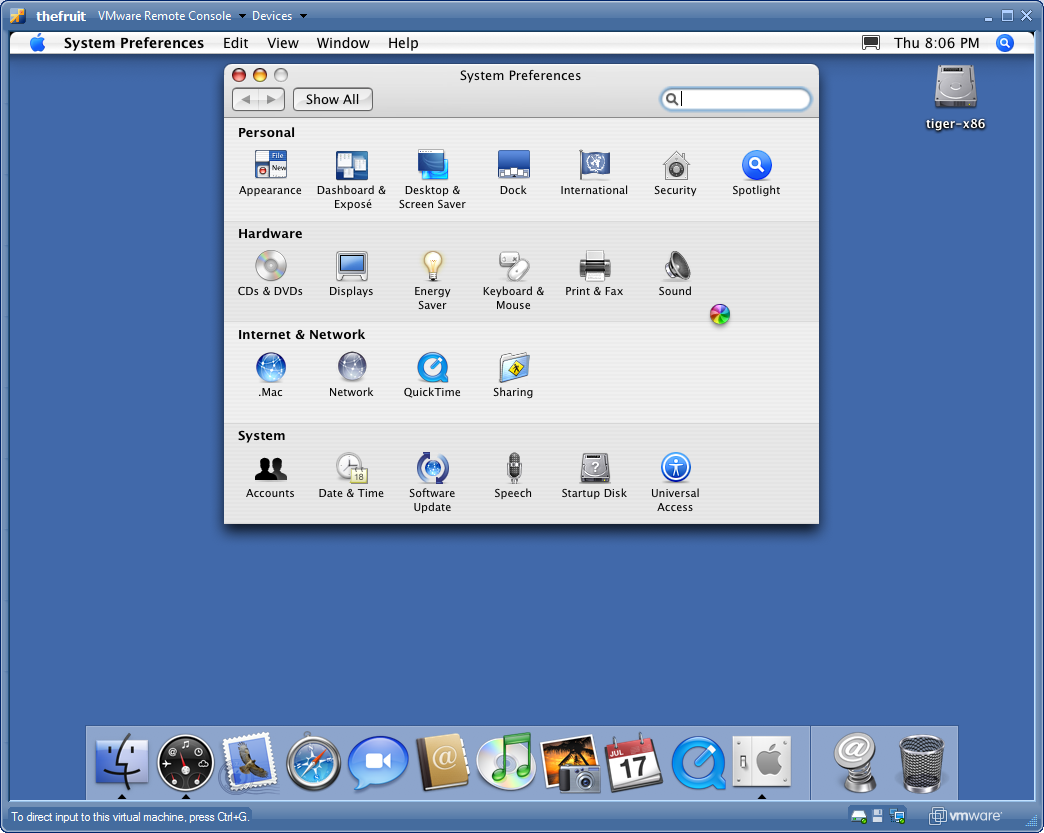
Pretty cool as a proof of technology. But let me tell you, this is quite a useless virtual brick.
The UI is extremely slow. I had to remove the background to improve it a little bit but couldn’t resize to less than 1024×768. Console over network is more than slow, is completely unusable.
Oh, and by the way, there is no networking. The preferences panel recognizes a network interface but it is disabled for configurations, meaning it doesn’t have a driver for VMware virtual network interface. What can be more brick than that ?!
I wanted to have a Mac OS machine to get to know this beautiful platform, maybe develop some apps etc. But I guess I’ll have to wait for improvements for this VMware patches.
Doesn’t have to wait anymore. Try VMware Fusion (unfortunately is running only on a Mac).
Or maybe you should get a basic macbook?
😉
In worst case, you can still install Mac OSX on some netbooks.
I don’t think that emulation of OSX is going to get into a usable state so soon.
Best regards
Adenilson
Oi Avi, estou tentando rodar um MAC OS com o VMWare, mas sem sucesso, ele começa a instalação, até chega a ir para o modo gráfico colocando uma foto na tela, mas trava ai, ou pelo menos parece, pois fica muito tempo e nada acontece. A sua experiência me deixou meio desanimado, pelo jeito tudo fica muito lento a ponto de ser inviável.
Se vc não se importa, gostaria de saber qual a versão do MAC OS vc usou e quais as configurações no VM?
Hi Avi can you tell me how you make to run mac os in VMware? Or if you can.. put this image to make the download?
Thanks.
Olá
Você teria uma dica sobre como fazer para ter uma máquina virtual rodando o mac os x no meu pc? Existe um bom tutorial “por aí”?
Você chegou a experimentar com o virtual box?
Grato pela atenção.
Flavio